
Every equipment manufacturer already owns CAD files. What those files cannot do is show the customer anything. The machine is too big to move, the structure too complex to photograph through, and a trade fair booth fits one machine from a whole product line. What a machinery 3D interactive presentation solves is exactly that gap: turning engineering data into a model buyers can rotate, disassemble and compare in a browser, so a hundred-ton machine can be studied from a link.
From CAD to Web, a Few Passes In Between
Engineering CAD models serve design and manufacturing: hundreds of thousands of faces, precision surfaces, full feature history. Dropped into a web page that is a blank screen. The conversion path is mature — decide precision by purpose, splitting detail into "must stay geometric" and "visually reproduced is enough"; decimate and bake so visual weight moves from mesh to texture; split and name parts along assembly relationships so every interactive feature downstream has something to attach to.
The pass most often underestimated is part separation and naming. It decides whether any of the interaction features can be wired up later. Weight control is covered in our piece on getting models under 2MB.
Where the Interaction Goes: Transparency, Exploded Views, Variants
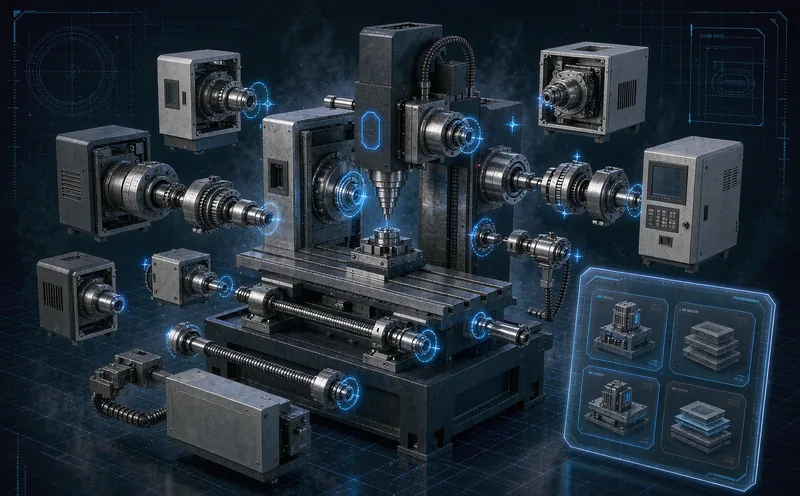
Most of a machine's selling points live inside the housing. Drives, material flow, safety mechanisms — photos and video only capture the shell. In interactive 3D the housing turns transparent, assemblies hide layer by layer, section planes cut through, and moving parts run their cycles.
The Kejie equipment animation we produced tuned every motion to real operating conditions — tool magazine changes, working strokes — in 30s and 60s versions for bidding and exhibitions. Animation is a recorded timeline; interactive models go further, because the customer clicks and explores, and neither dwell time nor depth of understanding compares to passive viewing.
Variant comparison is the other high-value zone. One platform, a dozen models across power, reach and options — physically impossible to display, trivial to switch in 3D. Buyers toggle configurations and the model updates live; the machinery selection system runs this way, flowing straight into an inquiry.
Where It Gets Used: Fairs, Remote Sales, Training
Trade fairs are the obvious fit. One machine fills the booth and the rest of the line lives in brochures; a screen with interactive 3D demos everything, including models still in development without a physical prototype — marketing moves ahead of manufacturing.
Remote selling proved itself recently: open the link in a video call, disassemble while talking, zoom into interfaces and workmanship, and the PDF-email loop disappears. German peers call it "selling heavy machinery from a laptop", and it lands hardest for equipment exporters.
Training is the overlooked third use. New hires, dealer technicians and service staff learn structure and operation from the interactive model faster than from manuals, cheaper than dismantling real units, without occupying production equipment. Assembly-step interaction is covered further in our piece on which industries fit 3D assembly guides.
Xuanji Animation has delivered five hundred plus projects over more than eight years, and equipment has always been a core industry, with the full chain from modeling through interaction to animation in place. How file formats and delivery standards get defined directly determines rework volume, so settle that line before signing. To evaluate a machine, the custom 3D configurator development page has the entry point.
Related Q&A
Can we do it without CAD files?
Yes, at different cost. With drawings, conversion is fastest; with only the physical machine, measurement plus photogrammetry rebuilds it; with neither, start from a grey model and confirm structure before detailing. Every path exists — the price difference is mostly modeling effort.
How large a machine model can the web handle?
Model size has nothing to do with machine size, only polygon and texture count. A production line dozens of meters long runs smoothly on a phone at a few megabytes when decimation and baking are done right. The test is one line: does it open instantly on a phone.
Interactive 3D or a 3D animation — which one?
By use. Bidding, fair loops and first impressions favor animation's narrative. Self-serve study, remote walkthroughs and variant comparison favor interaction. With the budget for both, the model is shared — an animation is just a timeline running on the interactive model.