
Lighting 3D Configurator and Online Display Development
A lighting 3D configurator turns lamp bodies, shades, surface colors and stands into choices customers can switch online. They combine options in the browser and see the view change in real time, much clearer than a page of static photos.
Custom-built for lighting brands, custom lamp businesses and cross-border ecommerce around your specific products and sales process, ready to embed in a product page or run as a standalone display.
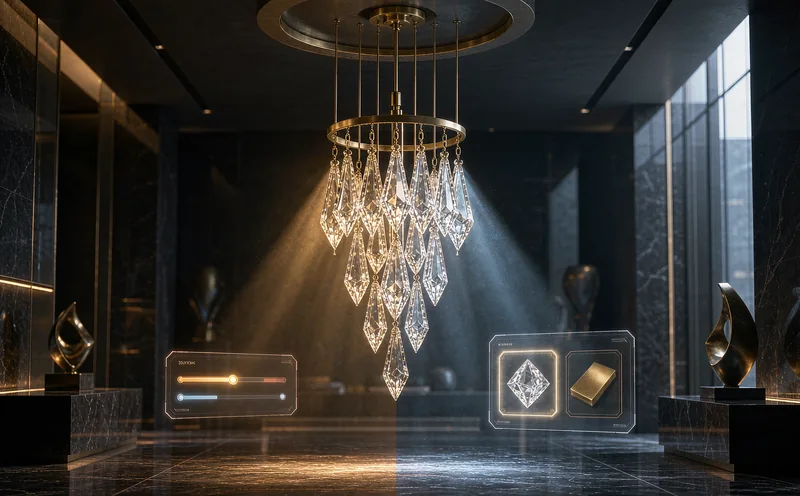
Lighting 3D configurator preview: real-time appearance combinations (visual mockup, not illumination simulation).
What Makes Online Lighting Display Challenging?
Changing a pendant shade, a floor lamp finish, or a bracket from matte black to brushed gold is hard for overseas buyers to picture from a few photos. A spec sheet gives dimensions, not the look of a combination.
Bringing those choices into one 3D interface lets customers see options as they select and gives sales a clear reference. For project-priced fixtures, the page can also collect a configuration list for quoting rather than pushing an online checkout.
Combinations Hard to Imagine
See how shades, bodies and finishes look together while choosing.
Many Specification Options
Set sizes, color-temperature labels and accessories to the actual product range.
Requirements Unclear
Organize customer selections into a configuration list for follow-up quotes.
How Lamp Bodies, Colors and Accessories Combine
Switch shade shapes and colors on one pendant, compare pole finishes and base materials on a floor lamp, or combine cut-out sizes, beam-angle labels and trim colors on downlights. What can change independently depends on product structure, material lists and available assets.
On-screen color is affected by lighting and displays, so online views help compare directions; the final color and texture are best confirmed with physical samples. For the technology behind material switching, see our 3D configurator development service.
Before launch, we map available options, default combinations and mutually exclusive accessories, then decide what needs 3D and what is clearer as text or a form.
Pendants & Ceiling Lights
Preview combinations of shades, arm counts and surface colors.
Floor & Table Lamps
Compare pole finishes, base materials and shade pairings.
Project & Commercial Fixtures
Display cut-out sizes, trim colors and mounting options.
The Boundary of Lighting Effects and Materials
This needs to be stated clearly: these pages present product appearance and material combinations as visual mockups, not professional illumination simulations. Figures such as lumens, illuminance distribution and color-temperature consistency need specialist software and measurement, not a single render.
Setting that boundary builds trust. Visitors know what they are seeing and what cannot be concluded from it, which reduces misunderstanding in sales conversations. The focus stays on structure, materials and intuitive comparison of options.
If photometric curves or illuminance data are involved, they follow customer-provided professional materials; the page makes no engineering or performance guarantee.
Connecting to Product Pages or Inquiry
For standard retail fixtures, shopping cart integration can be assessed against product data and platform interfaces so selected specifications accompany the order. For project-priced fixtures, customers can submit a configuration list for the sales team to verify and quote.
Price updates, saved configurations and shareable links can be discussed as requirements; implementation depends on interfaces and product rules. More product interaction approaches are covered in our interactive 3D product display service.
For cross-border teams, a configuration module embedded directly in the product page often generates better inquiries than a separate display site, because it appears where buyers decide.
Brand Websites
Show ranges and combinations to support dealer and project inquiries.
Ecommerce Product Pages
Design selection around the catalog and assess checkout integration per project.
Trade Shows & Showrooms
Display more color and accessory options without physical samples.
How Lighting 3D Displays Are Developed
Start with one core product, get the display and inquiry flow working, then expand across the range. Scope, schedule and cost are subject to requirements assessment and the project contract.
Define the Product
Confirm models, optional accessories, compatibility rules and use cases.
Create Models
Build and optimize web-ready 3D assets from drawings or existing models.
Develop Interactions
Implement option switching, material appearance and agreed data integrations.
Test and Deliver
Check display results across devices and the core user flow.
Related Questions and Answers
Can a lighting display page be made without 3D models?
Provide product images, dimensioned drawings or other materials so modeling scope can be assessed. More complete materials help confirm structure and surface finishes.
Can it be embedded in Shopify or an existing independent site?
Integration is assessed against site architecture, product data and interfaces. Whether prices or cart data need synchronization should be defined during requirements gathering.
Can the page show real lighting effects?
It presents appearance and material mockups, not professional illumination simulation. Photometric or illuminance data follow customer-provided materials.
Ready to Start? Get Your Tailored Plan
Submit your requirements to receive a technical plan, timeline and budget within 24 hours.