
Bathroom Product 3D Configurator Development
A bathroom 3D configurator turns vanity cabinets, countertops, mirror cabinets and hardware choices into options customers can switch online. They combine products in the browser and see the view change, then submit a configuration list for inquiry.
Custom-built for bathroom brands, custom furnishing businesses and dealers around your products and sales process. It addresses single-product configuration, not full-space renovation design.
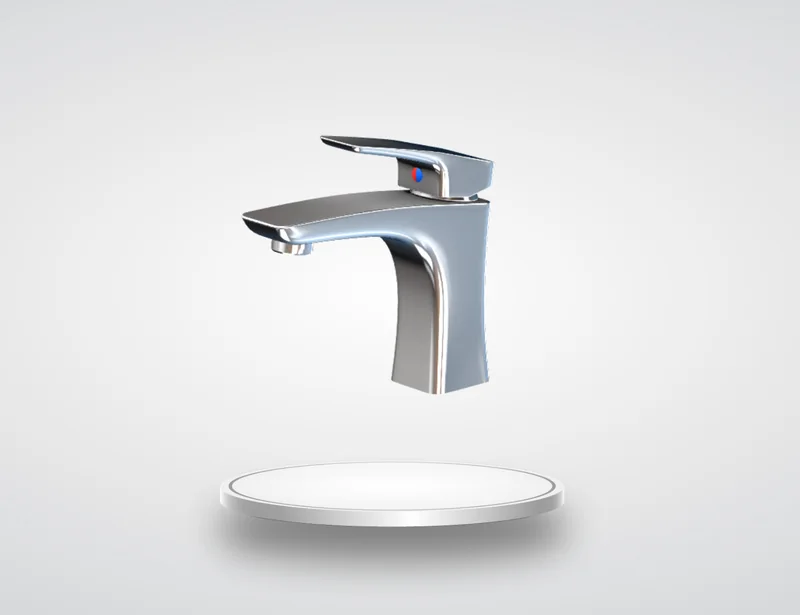
Bathroom configuration preview: cabinet, countertop and hardware material combinations (visual mockup).
Challenges of Multi-Spec Bathroom Configuration
One vanity series comes in several widths, countertop materials and door colors, plus mirror cabinet sizes and handle styles. The combinations grow quickly, and buyers still cannot tell what the finished cabinet looks like after browsing photos, swatches and spec sheets.
Bringing those options into one 3D interface lets customers see selections as they make them and gives sales a shared reference. For custom cabinets that cannot be priced directly, the page collects selections as an inquiry instead of pushing checkout.
Many Combinations
Set widths, countertops, doors and hardware to the actual series range.
Materials Hard to Describe
Compare stone, ceramic and solid-wood countertop differences visually.
Requirements Missed
Organize selections into configuration details for quotes and production.
Combining Cabinets, Countertops, Mirrors and Hardware
Switch cabinet colors and door styles on one vanity, compare stone or ceramic countertops, choose mirror cabinet sizes, lighting and storage layouts, and pair handle or faucet finishes. What can change independently depends on product structure and available assets.
Material appearance is affected by screens and lighting, so online views help compare directions; final materials and colors are best confirmed with physical samples. The technology behind it is covered in our 3D configurator development service.
We first map each series component relationships, available options and mutually exclusive choices, then decide what needs 3D and what is clearer as text.
Freestanding Vanities
Preview cabinet, door, countertop and handle combinations.
Mirror & Wall-Mounted
Display size, lighting and storage configuration options.
Hardware Accessories
Compare handles, faucets and surface finishes.
Size and Component Compatibility Rules
A vanity is not assembled at random. Which countertop sizes fit a given width, which doors take which handles, and how mirror width matches the cabinet must be settled before development. The configurator offers options according to agreed rules, helping buyers build catalog-valid combinations.
Sizes also split into cases: fixed sizes can be switched directly, while continuous dimension changes or linked structural changes require separate assessment of model structure, manufacturing rules and budget.
Organize sizes, component relationships and unavailable combinations first, then decide the 3D scope to avoid a configurator that looks good but cannot be built.
Using Configurations for Inquiry or Orders
For standard retail products, cart integration can be assessed against product data and interfaces so the selected configuration accompanies the order. For custom or project products, customers can submit a configuration list for the sales team to verify and quote.
Price updates, saved configurations and shareable links can be discussed as requirements; implementation depends on product rules and integration conditions. More display approaches are covered in our interactive 3D product display service.
For dealer channels, a clear configuration list reduces back-and-forth confirmation and lowers communication cost.
Brand Websites
Show series combinations to support retail and dealer inquiries.
Ecommerce Product Pages
Design selection around the catalog and assess checkout integration per project.
Stores & Designers
Demonstrate more combinations with limited physical samples.
How Bathroom 3D Configurators Are Developed
Start with one core series, get display and inquiry working, then expand to more products. Scope, schedule and cost are subject to assessment and the project contract.
Define the Product
Confirm series, sizes, compatibility rules and use cases.
Create Models
Build and optimize web-ready 3D assets from drawings or existing models.
Develop Interactions
Implement option switching, configuration rules and agreed data integrations.
Test and Deliver
Check display across devices and the core user flow.
Related Questions and Answers
Can a bathroom configurator be made without 3D models?
Provide product images, dimensioned drawings or similar materials so modeling scope can be assessed. More complete materials help confirm structure and materials.
Can it support custom vanities in any size?
It depends on product structure, manufacturable size range and rules. Fixed-size switching and continuous adjustment differ, so model and business rules must first be assessed.
Can it design an entire bathroom space?
This page focuses on single-product configuration, not full-space renovation design; space planning would be assessed separately.
Ready to Start? Get Your Tailored Plan
Submit your requirements to receive a technical plan, timeline and budget within 24 hours.